 thiran
What you need
- The PDF drawing or document to sign.
- Thiran on Windows, Mac or the web, on your computer.
- For a certified digital signature only: a digital ID. You can make one in Thiran (step 5).
1Open the drawing
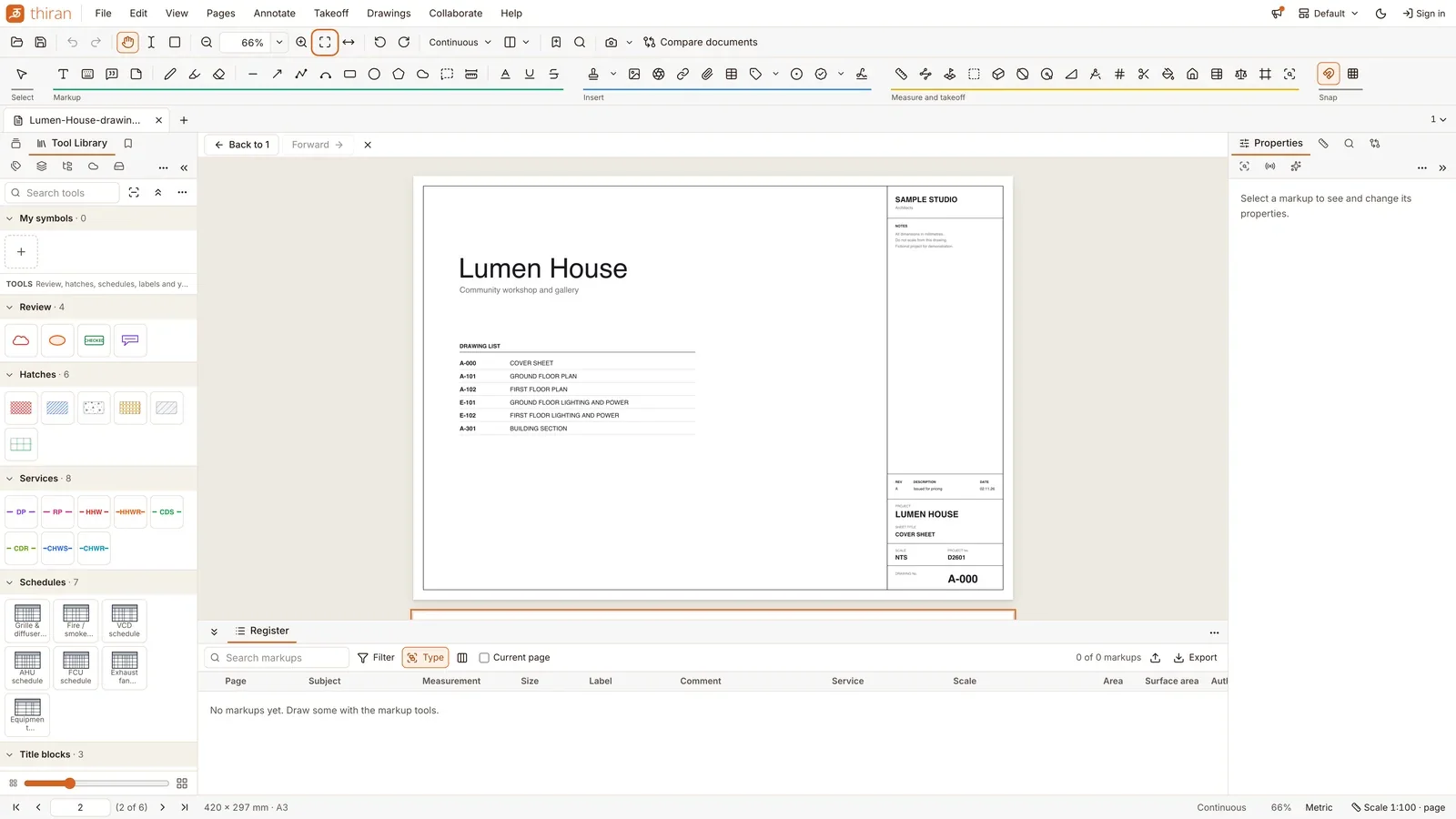
Drag the PDF onto Thiran, or choose File › Open. If it came to you in Google Drive or OneDrive, open it from there with File › Open from… and save it straight back.
2Place a stamp
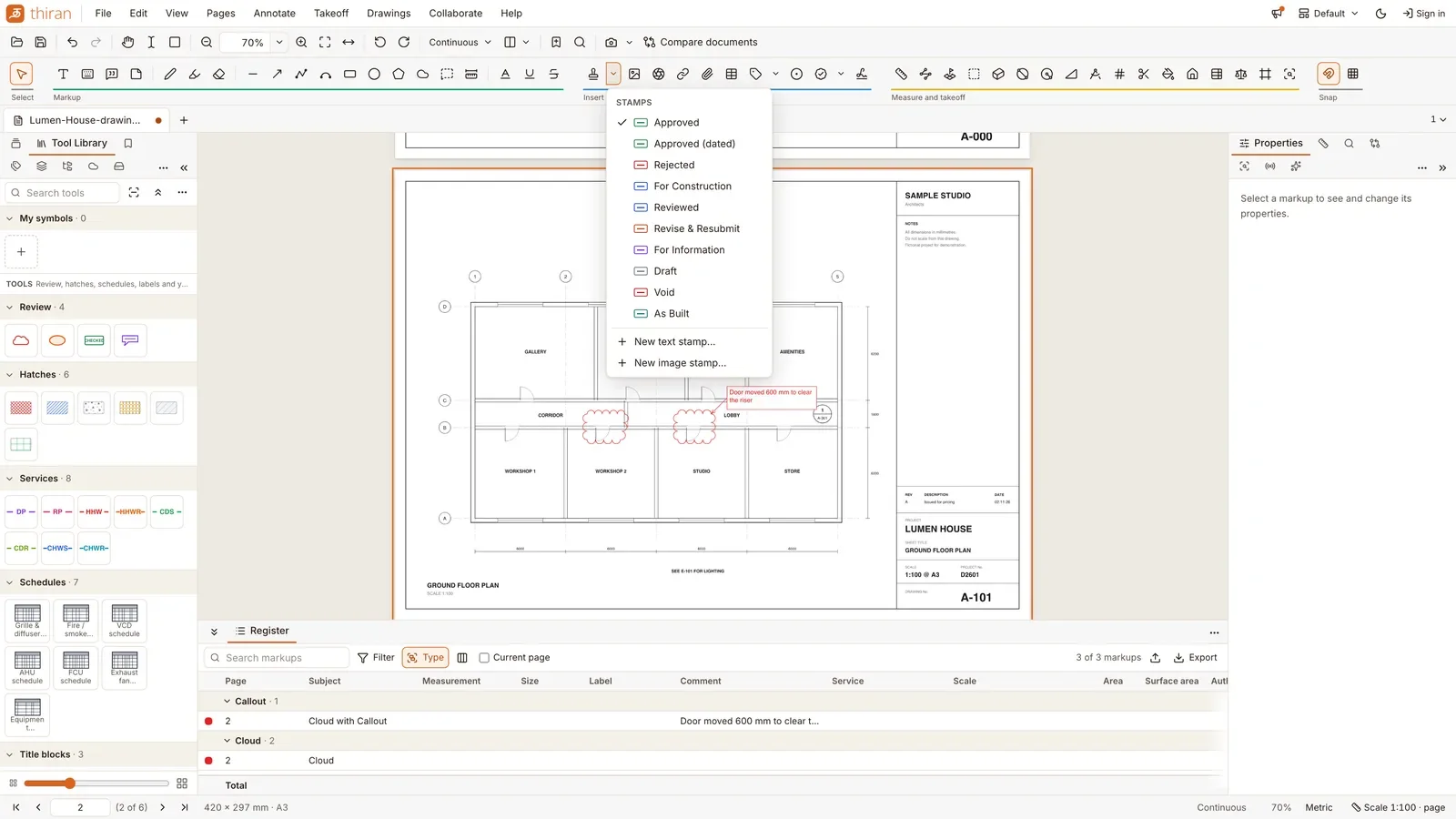
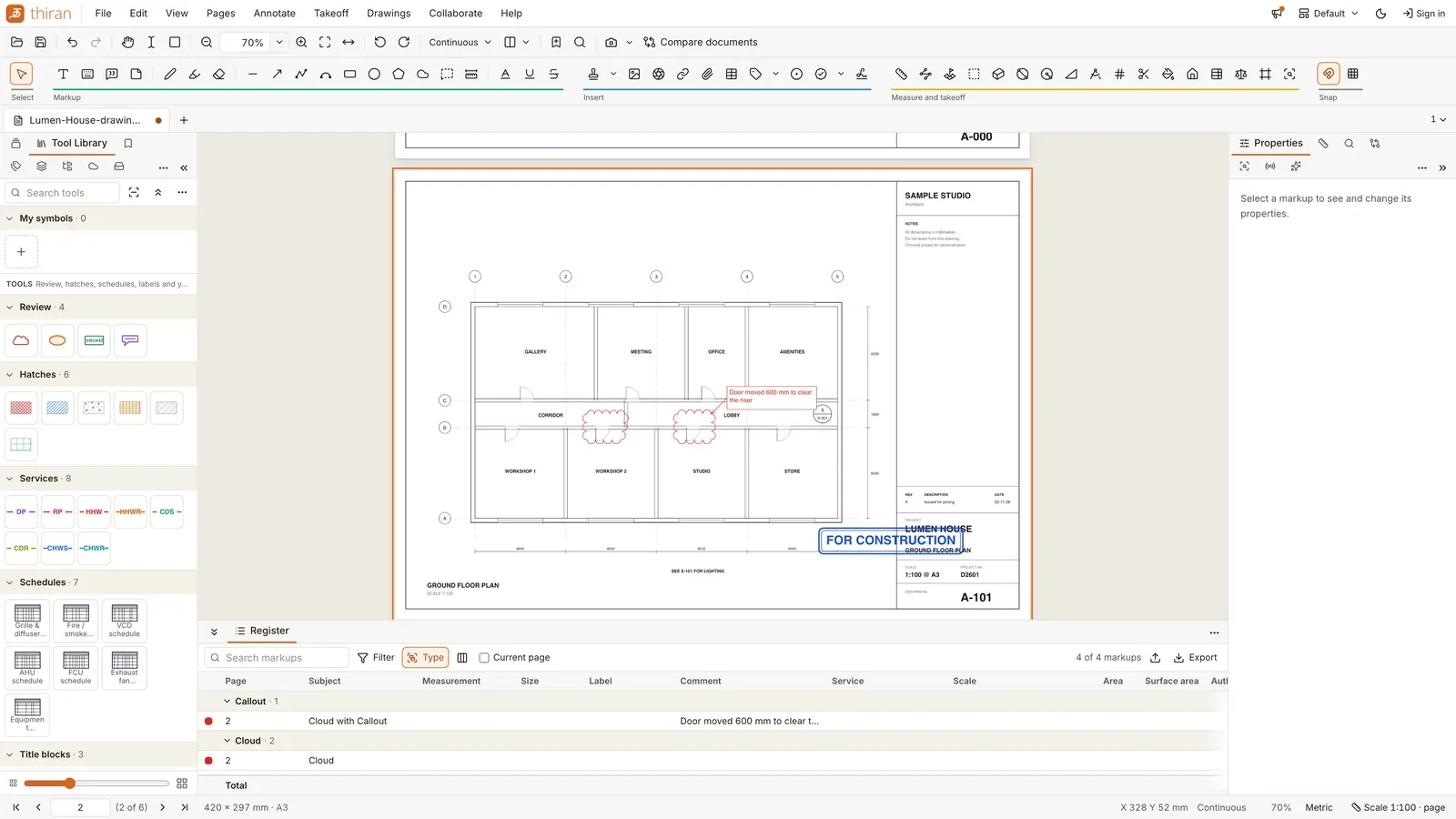
- Choose the arrow beside Stamp on the toolbar and pick a stamp, such as Approved or For Construction.
- Click where it goes, or drag to size it.
- To place the same stamp again later, press the Stamp key.
3Make your own stamp
Choose the arrow beside Stamp, then:
- New text stamp… Give it a label name and the stamp text. You can fill in your name and the date by themselves, for example CHECKED {author} {date}.
- New image stamp… Use a picture, such as your company logo or a scanned signature.
The page tells you when the stamp is ready to place. To remove one of your own stamps, choose Delete custom stamp from the same arrow.
Signed in to your account, your stamps follow you to every computer you use Thiran on.
4Use an approval stamp for review sign-off
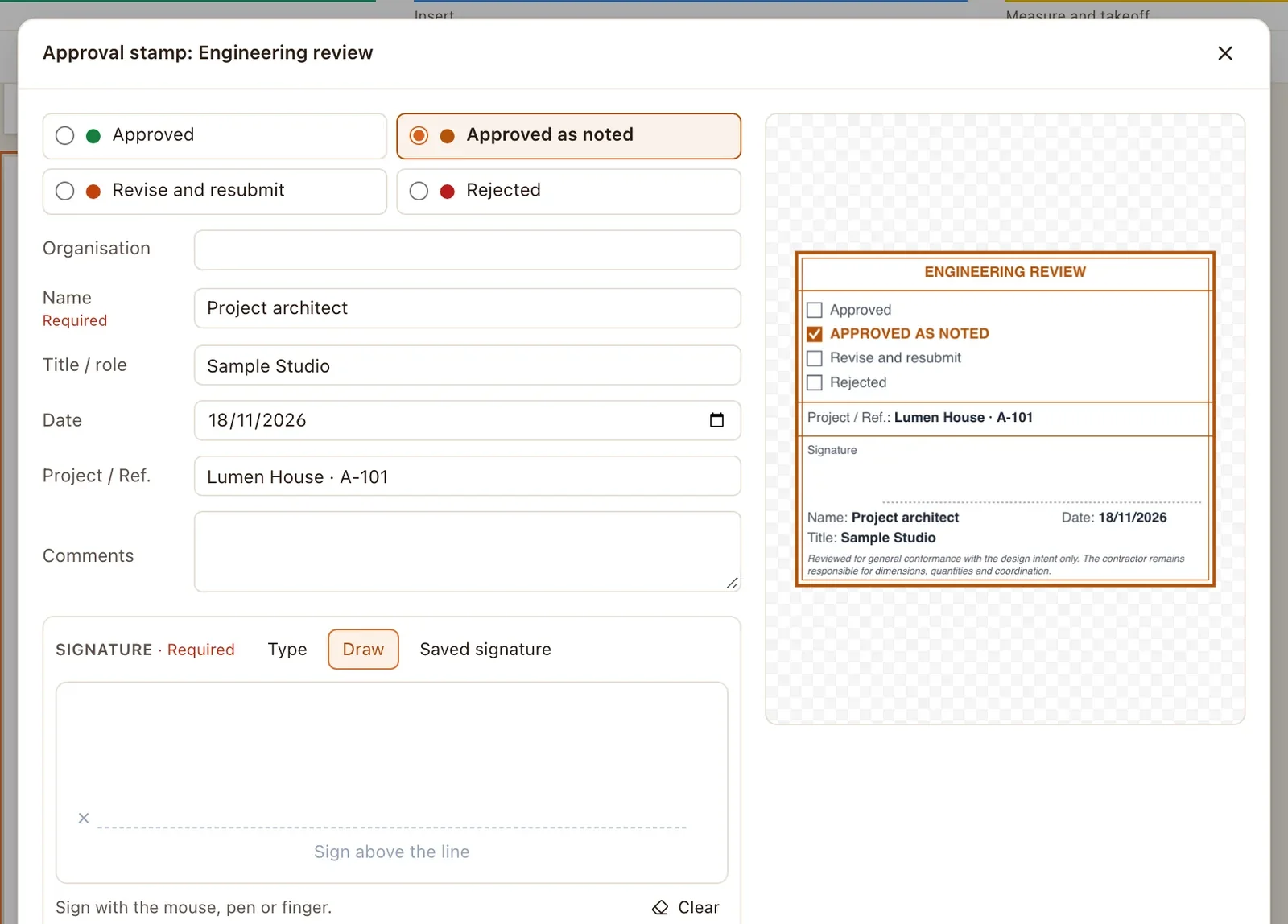
A plain stamp says one thing. An Approval stamp records the review: a status, your name, your title, the date and your signature.
- Choose Approval stamp on the toolbar.
- Click where the stamp goes, or drag to set its width.
- Choose the status (Approved, Approved as noted, Revise and resubmit or Rejected), check your name, title and date, and sign: type your name, draw it, or use your saved signature.
- Place it.
Once placed, you can move the stamp but you can't edit what it says. To change the decision, select it and choose Replace in Properties. The old stamp is kept on record, so there's a trail of who approved what. Deleting one asks you first.
You can design your own approval stamp from the arrow beside the button, with your logo, colours, fields and the statuses your office uses, such as Approved, Approved as noted, Revise and resubmit or Rejected.
5Add a signature
A hand signature on the sheet
- Choose Signature on the toolbar (or Annotate › Insert › Signature).
- Sign above the line in the pad with your mouse, pen or finger, or choose your saved signature. Tick Save my signature on this device to use it next time.
- Choose Place signature, then click where it goes.
You can move or resize it like a stamp. It's a picture of your signature on the drawing, saved as a standard PDF stamp.
A certified digital signature
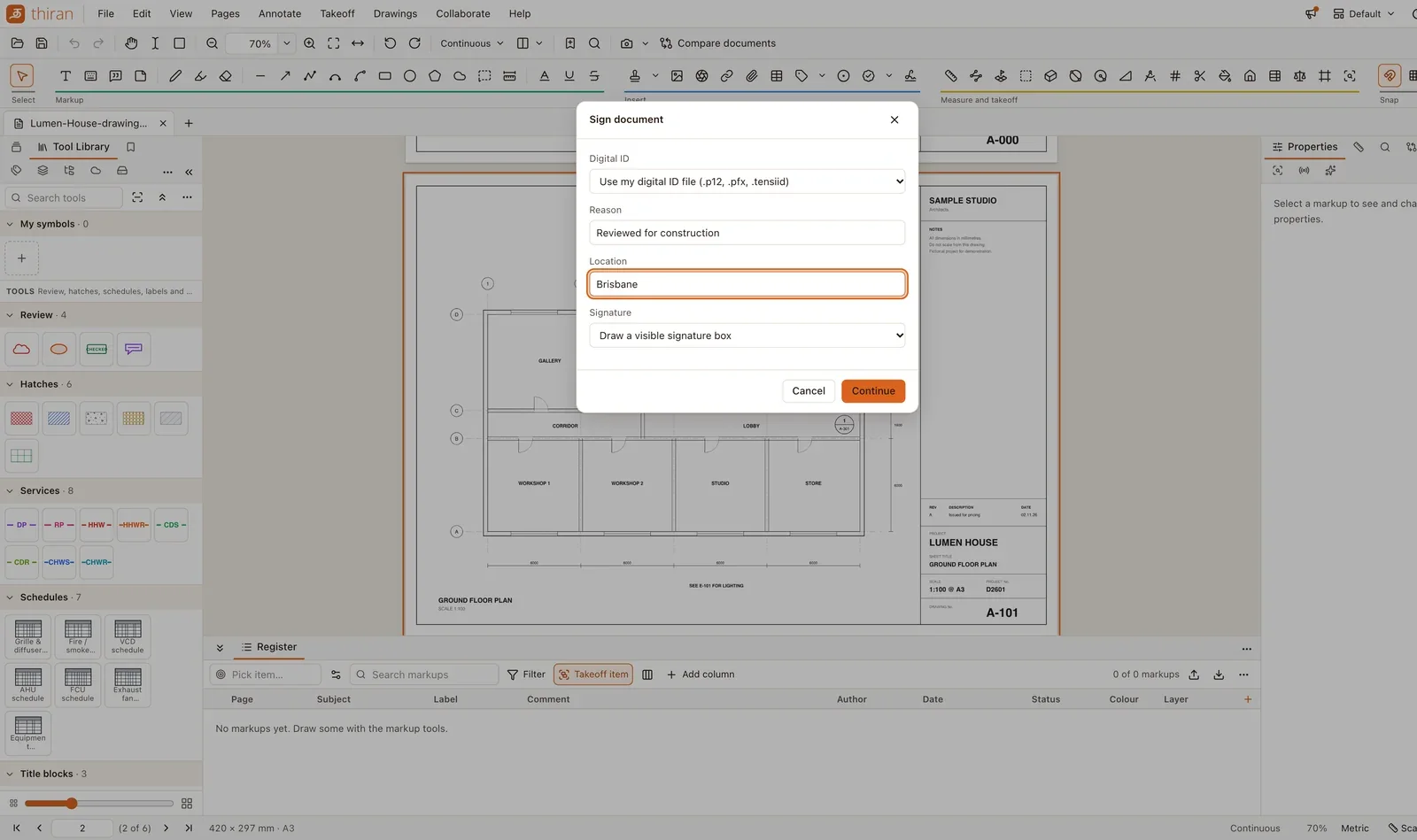
When the document needs a signature that can be checked, sign it with a digital ID instead:
- If you don't have a digital ID yet, choose Pages › Security › Create digital ID….
- Choose Sign document…, pick your digital ID file, add a reason and location, and choose a visible signature box or an invisible one.
- Anyone can use Validate signatures to check every signature and whether the file changed after signing.
Sign last. Any change after signing shows as a change to the signed document.
6Save and send it back
- Choose File › Save. Stamps and signatures are saved inside the PDF.
- To stop anyone moving your stamps, flatten them on a copy: they become part of the page.
- To send it, signed in, choose Email document…, type up to 10 addresses, a subject and a message, and leave Attach the PDF with its markups ticked. Replies come to you. Attachments can be up to 25 MB.
Or print it with File › Print…. Your stamps and signature print with it.
Common questions
Is a signature stamp the same as a digital signature?
No. A hand signature or approval stamp is a picture on the drawing. For a certified digital signature, use Sign document… with a digital ID.
Can I stamp every sheet in a set at once?
Yes. The batch tools can stamp every page of many PDFs, for example FOR CONSTRUCTION.
Will the stamp show in other PDF readers?
Yes. Stamps are saved as standard PDF markups, so they show in other readers.
Can I sign on my computer without printing?
Yes. Sign in the pad with your mouse, trackpad or pen, place it, save and send.
Try Thiran free for 7 days
Stamp, sign and send drawings on Windows, Mac and the web.