 thiran
What you need
- A PDF: a drawing, a specification or any other document.
- Thiran for Mac, Windows or the web. The 7-day trial has every tool.
1Open the PDF
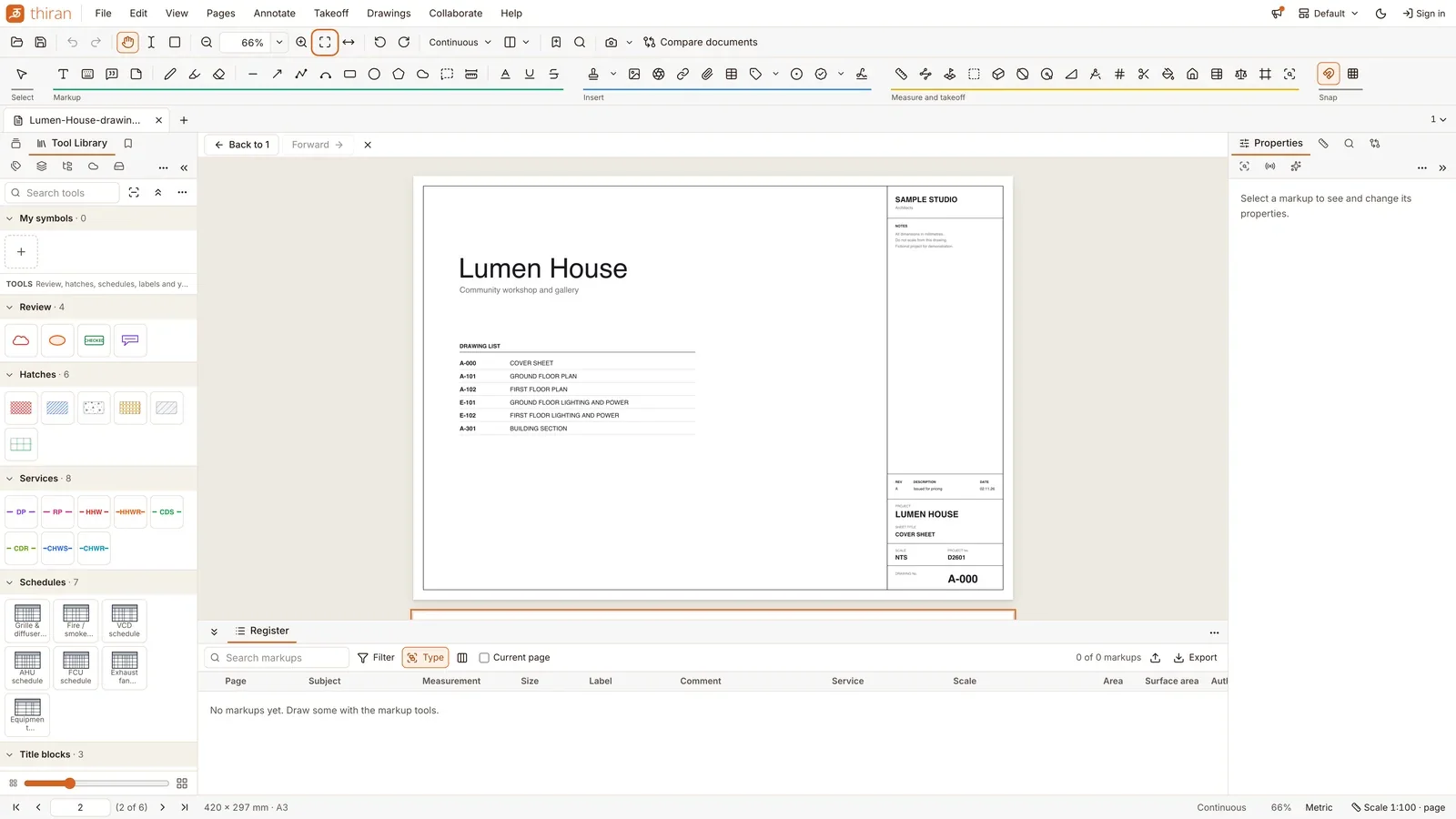
Drag the PDF onto the Thiran window, or choose File › Open. Each file opens in its own tab.
You can also open a PDF straight from Google Drive or OneDrive, and save it back over the same file. Pictures (PNG, JPEG) and DXF drawings open too, turned into a PDF as they open.
2Add text and notes
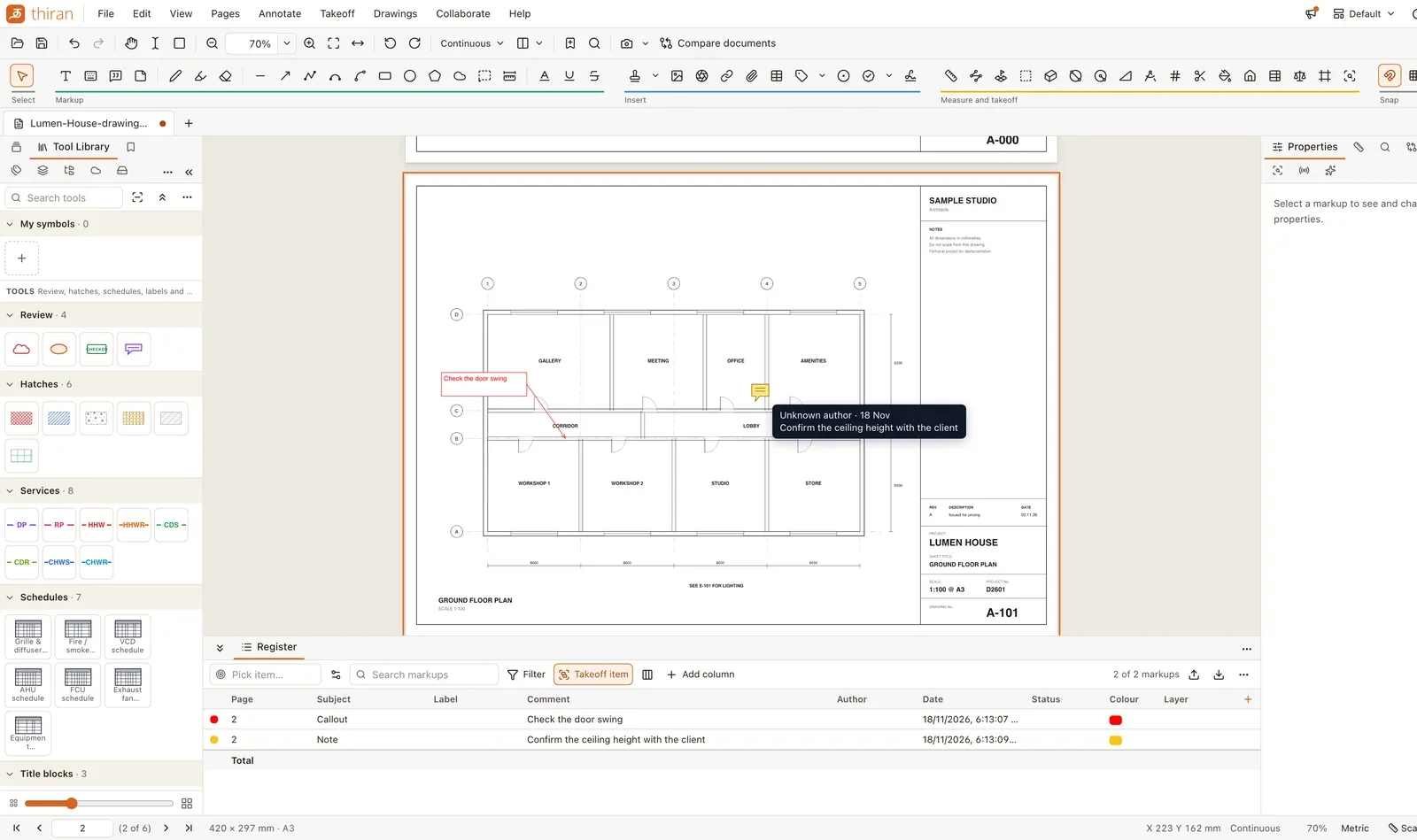
- Text box: choose Text box, drag a box (or just click), and type. Press Esc or ⌘+Enter, or click away, to finish.
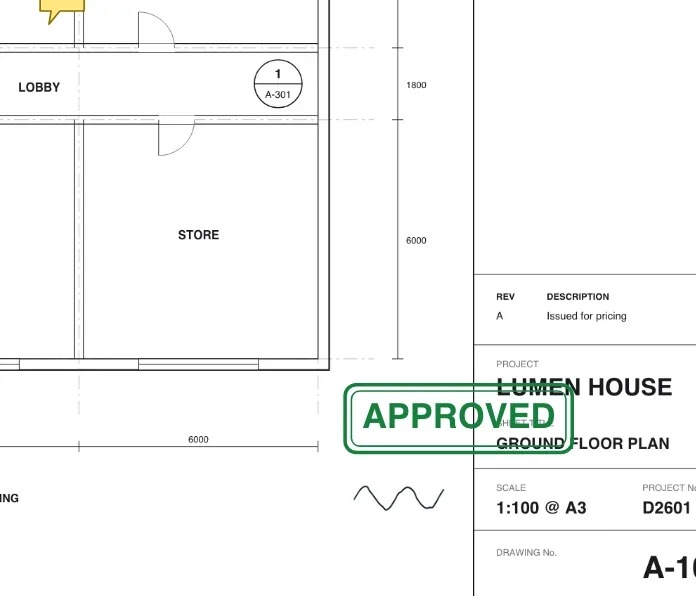
- Callout: choose Callout, click the point the arrow should touch, click where the text goes, and type. Move the box and the arrow stays on what it points at.
- Sticky note: choose Sticky note and click. A small note icon stays on the page; point at it to read who wrote it and when.
3Highlight, underline or strike out text
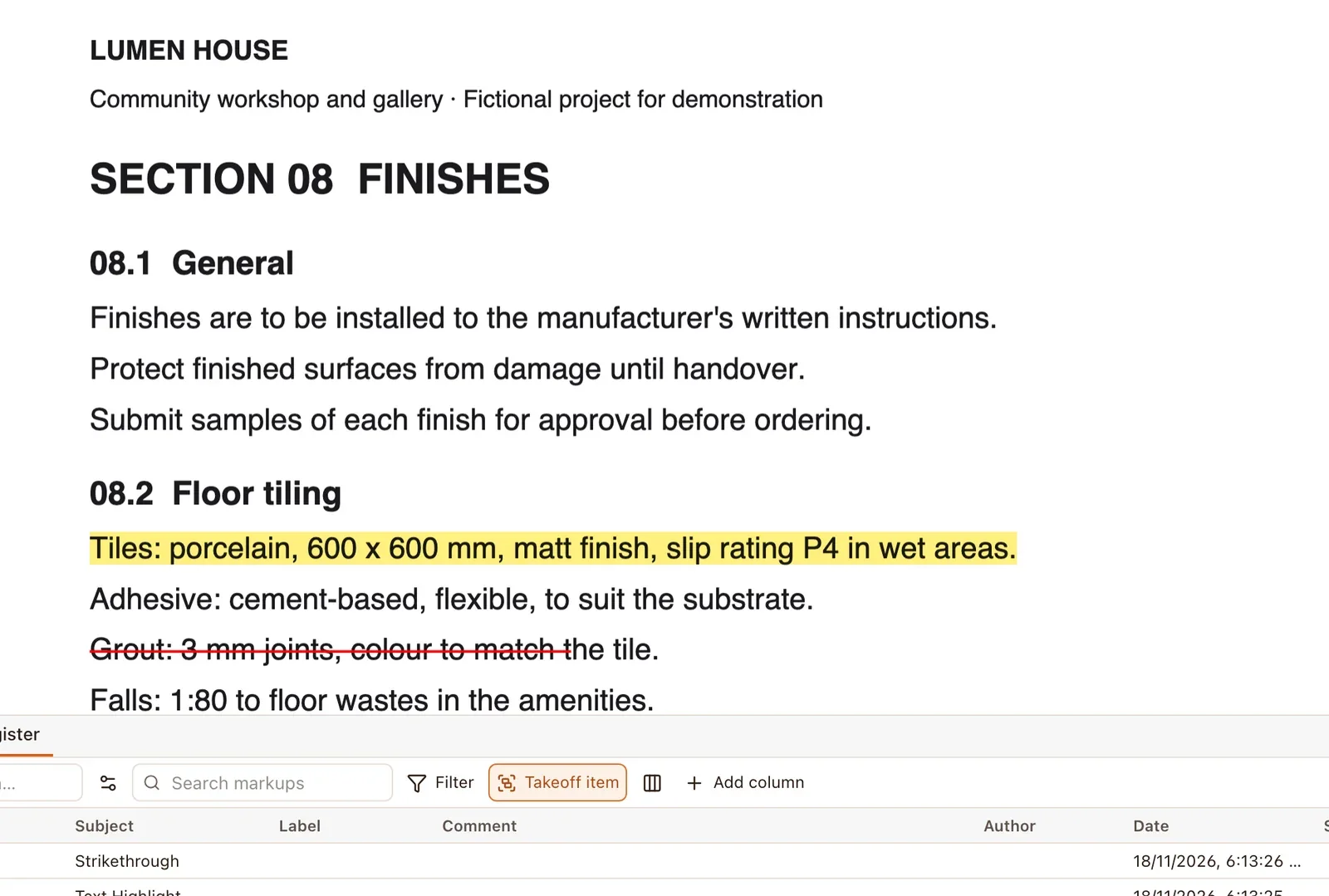
For a specification or report, mark the words themselves.
- Choose Highlight text, Underline text or Strike out text.
- Press on a word and drag across the text. The mark follows the line of text.
Scanned pages have no words to follow. Run Recognise text (OCR) on them first.
4Draw on the page
- Pen draws freehand, as on paper. Highlighter draws a see-through stroke over part of a drawing.
- Line and arrow, Rectangle and ellipse and Polygon frame or point at things.
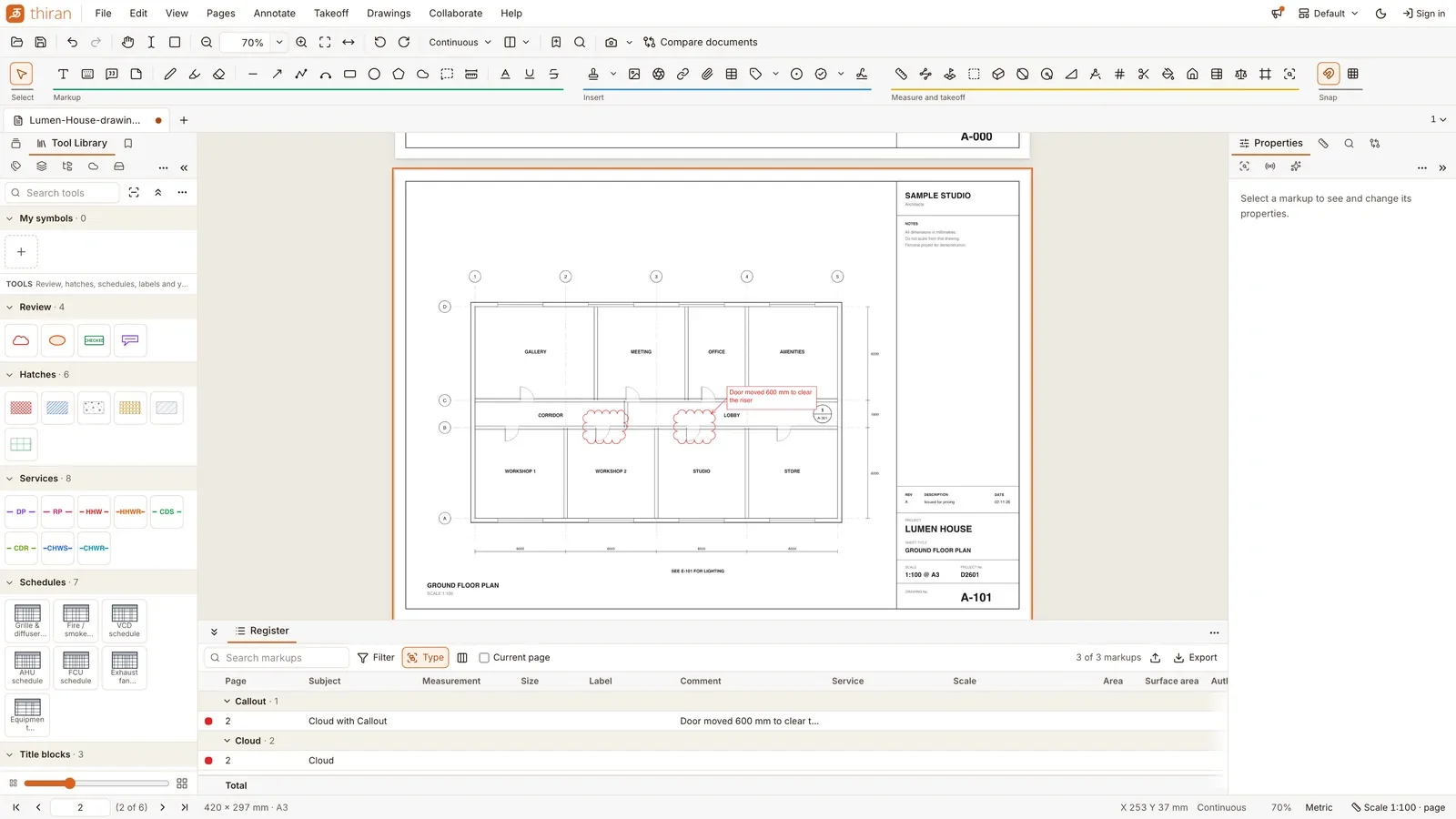
- Cloud with Callout draws a revision cloud with a note attached. Click round the area, double-click or press Enter to close it, then type the note.
5Stamp and sign
- Stamps: choose the arrow beside Stamp, pick one such as Approved, and click where it goes. Make your own with New text stamp… or New image stamp….
- Signature: sign in a small pad with your mouse, trackpad or pen, and place it on the page like a stamp.
6Change how annotations look
Select an annotation and open Properties to change its colour, line width, fill, opacity and font. Give it a subject, comment and status there too.
Like a look? Select it and choose Set as default in Properties. Every new annotation from that tool comes out the same, in every document.
7Save
Choose File › Save. A dot on the tab means there are unsaved changes. Save As makes a new copy.
To send a copy nobody can change, choose Flatten all markups, then save it as a new file. Keep the original, so you can still edit the annotations.
Common questions
Will my annotations show for someone without Thiran?
Yes. They're saved as standard PDF annotations, so they open in any PDF reader.
Is it the same on Windows?
Yes. The tools, panels and steps are the same in the Windows app and in the browser.
Can I annotate a scanned PDF?
Yes, with any drawing tool, text box, note or stamp. To highlight its words, run Recognise text (OCR) first.
Try Thiran free for 7 days
Annotate PDFs on Mac, Windows and the web. No card needed.